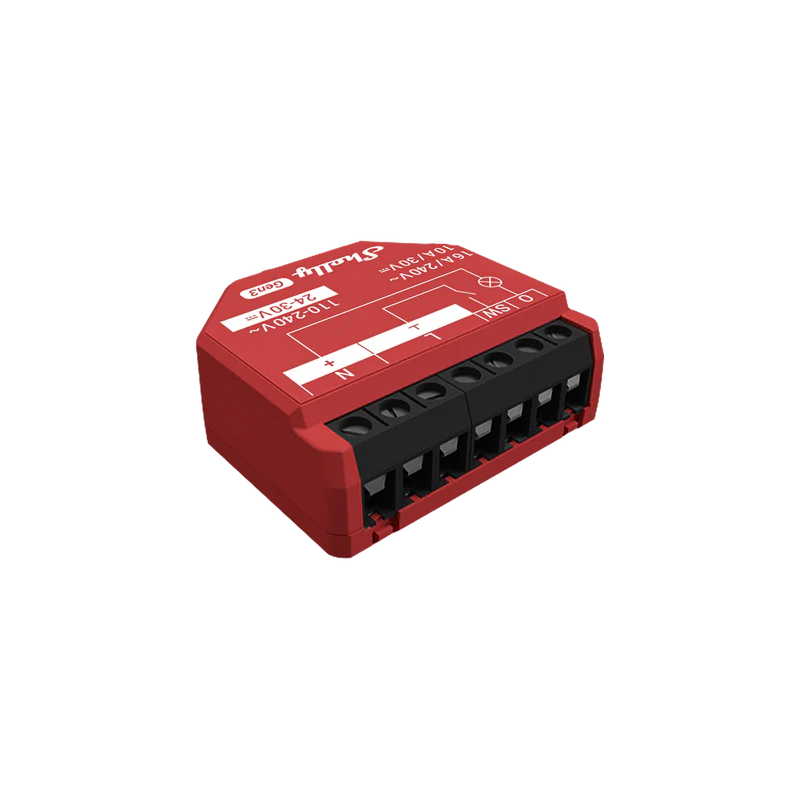
Shelly Presence Gen4
Device identification Device name: Shelly Presence Gen4 Device model: S4SN-0U61X Device SSID: ShellyPresence-XXXXXXXXXXXX BLE ID: 0x1821 Short description Shelly Presence Gen4 is a presence sensor that uses mmWave radar to reliably detect people, even when they are sitting still. It enables more natural room automation by sensing actual presence rather than just motion. It is designed for precise, room-aware automations with customizable detection behavior for both real rooms and open spaces. With up to 10 customized zones, you can tailor how the sensor reacts in different areas and fine-tune it to match your layout. Shelly Presence Gen4 connects via Wi-Fi 6, Bluetooth 5 LE, and Zigbee 3.0, and it supports Matter-over-Wi-Fi. It integrates with Shelly Cloud, Home Assistant, and other popular platforms. You can also manage and monitor it through its own Embedded Web interface. Main features Identifies up to 6 separate people simultaneously for realistic multi-occupant automations Supports up to 10 customized detection zones for more precise, area-specific automations Covers up to 42 m² to handle larger rooms and open areas Visualizes detected people on a map for clear, real-time understanding of the space Allows configurable transmission power and sensitivity, including advanced fine-tuning controls Provides filtering options to ignore near-ground movement and to avoid detecting small objects such as pets or robot vacuum cleaners Built-in light sensor that reports dark, twilight, and bright states for lighting-aware automations Operates via USB‑C (5 V) for continuous power Connects via Wi-Fi 6, Bluetooth 5 LE, and Zigbee 3.0, with Matter-over-Wi-Fi support Integrates with Shelly Cloud, Home Assistant, and other popular platforms Built-in Embedded Web interface for direct device access and configuration Use cases Hands-Free Room Automation Enter a room and let Shelly Presence Gen4 instantly trigger the lights, AC, or music - no need for switches or voice commands. Zone-Based Smart Lighting Use multi-zone detection to light only the areas in use - perfect for large rooms, studios, or open-plan homes. Energy Efficiency in Empty Spaces Automatically turn off appliances and lights when no one is present, helping reduce energy costs and waste. Ambient Light-Aware Scenes Trigger different scenes based on light levels - like activating soft lighting during twilight or full brightness when it’s dark. True Presence Detection in Quiet Settings Ideal for bedrooms, offices, or meeting rooms where people remain still - detects presence even without motion. Privacy-Friendly Occupancy Awareness Monitor when and where people are present without using cameras - ideal for sensitive spaces like restrooms, bedrooms, or offices. Pet-Friendly Setup Avoid false triggers from pets or robot vacuums by adjusting the detection sensitivity to match only human movement. Main applications Residential MDU (Multi Dwelling Units - apartments, condominiums, hotels, etc.)… Light commercial (small office buildings, small retail/restaurant/gas station, etc.)… Government/municipal University/college Integrations Amazon Alexa supported capabilities Motion Sensor Google Smart Home supported traits Occupancy Sensing Samsung SmartThings supported capabilities Presence Sensor Connectivity Wi-Fi Bluetooth Zigbee Matter User interface Inputs Button Press 1 time: Checks device status and triggers the LED to display the current connection state. Press 3 times rapidly: Enters Zigbee pairing mode, allowing the device to connect to a Zigbee network. Press 5 times rapidly: Switches the device from Matter firmware (default) to Zigbee, or back. Press and hold for 5 seconds: Performs a network reset. The LED flashes . If no action is taken within 3 minutes, the device retains its existing settings. Press and hold for 10 seconds: Resets the device to factory settings. Outputs LED indication Blue light (slow flashing): Device is in AP mode. Red light (slow flashing): STA mode is active, but the device is not connected to a Wi-Fi network. Yellow light (slow flashing): STA mode is active, and the device is connected to a Wi-Fi network but not connected to the Shelly Cloud, or the Shelly Cloud is disabled. Green light (slow flashing): STA mode is active, and the device is connected to both a Wi-Fi network and the Shelly Cloud. White light (slow flashing): Presence is detected. Purple light (slow flashing): Device is connected to a Zigbee network. Flashing Purple light: Device is in Zigbee pairing mode. Flashing Yellow light: Device is in identification mode, signaling its presence for user identification. Flashing Red/Blue light: OTA update is in progress. Specifications Quantity Value Physical Size (HxWxD): 64x41x26 mm / 2.49x1.59x1.02 inch (without stand) 73x41x37 mm / 2.87x1.61x1.46 inch (with stand) Weight: 42 g / 1.48 oz (without stand) 85 g / 3.00 oz (with stand) Mounting: Freestanding base - for horizontal placement on shelves, tables, or wardrobes Adhesive tape - for tool-free installation on flat surfaces Screws and wall plugs - for installation on walls or other solid surfaces Shell material: Plastic with aluminum back Shell color: White Black Environmental Ambient working temperature: -20 °C to 40 °C / -5 °F to 105 °F Humidity: 30 % to 70 % RH Max. altitude: 2000 m / 6562 ft Electrical Power supply: 5 VDC via USB-C, 1 A Power consumption: 2.5 W (nominal) 3.5 W (max) Sensors, meters Internal-temperature sensor: Yes Light sensor: Yes Radar sensor: Yes Radio Wi-Fi Protocol: 802.11 b/g/n/ax RF band: 2401 - 2483 МHz Max. RF power: < 20 dBm Range: Up to 30 m / 100 ft indoors and 50 m / 160 ft outdoors (Depends on local conditions) Bluetooth Protocol: 5 (LE) RF band: 2402 - 2480 MHz Max. RF power: < 20 dBm Range: Up to 10 m / 33 ft indoors and 30 m / 100 ft outdoors (Depends on local conditions) Zigbee Protocol: 802.15.4 RF bands: 2405 to 2480 MHz Max. RF power: < 20 dBm Range: Up to 100 m / 328 ft indoors and 300 meters / 984 ft outdoors (Depends on local conditions) Microcontroller unit CPU: ESP-Shelly-C68F Flash: 8 MB Firmware capabilities Schedules: 20 Advanced schedules: Yes Webhooks (URL actions): 20 with 5 URLs per hook Scripting: Yes MQTT: Yes UDP: Yes Encryption: Yes KVS (Key-Value Store): Yes Radar specific Radar frequency: 60-64 GHz Object detection Yes, up to 6 objects (people) Wall mount coverage 140 degrees horizontal (70 degrees on each side), 8 x 8 m 120 degrees vertical Corner mount coverage 90 degrees (45 degrees on each side), 7 x 7 m Still detection Yes, up to 3 m Mounting Shelly Presence Gen4 offers flexible mounting options for different environments. It comes pre-attached to a free-standing base with a built-in metal weight for added stability. The following mounting methods are recommended: With screws and wall plugs Detach the mounting plate from the free-standing base by removing the two screws with a Phillips screwdriver. Hold the mounting plate against the wall and mark the hole positions with a pencil. Drill holes at the marked positions. Insert the wall plugs and fix the mounting plate using the provided screws. With adhesive tape Detach the mounting plate from the free-standing base by removing the two screws with a Phillips screwdriver. Clean and dry the mounting surface. Attach the double-sided adhesive tape to the back of the mounting plate. Press the plate firmly against the surface for a few seconds. Flipped mounting Flipped mounting adjusts the detection logic when you rotate the Device 180°. Use this feature when you mount the Device upside down to match the room layout or mounting height. This improves presence detection in specific installation setups. To activate it, enable Flipped mounting in the Device’s web interface or in the Shelly Smart Control app. Detach the mounting plate from the free-standing base by removing the two screws with a Phillips screwdriver. Rotate the Device 180°. Reattach the mounting plate to the free-standing base and fix it with the two screws. Placement and range Shelly Presence Gen4 is intended for indoor use in spaces with maximum dimensions of 8 × 8 m (26 × 26 ft). Detection coverage may vary depending on the sensor’s horizontal and vertical placement within the room, as well as its tilt angle. The optimal installation height is 2 m (6.5 ft), with a maximum supported room height of 5 m (16.4 ft). The recommended tilt angle is approximately 15°. The following placement configurations are advised: On a wall Position the sensor preferably at the horizontal center of a wall to ensure it utilizes its full 140‑degree detection field. The Device can be secured using the adhesive tape or mounted with the screws. On a horizontal surface When using the device with its free-standing base, it may be positioned on furniture of sufficient height to ensure proper operational coverage. A flipped mounting setup works well for this application. In a corner (left or right) Use this configuration for smaller spaces, as this placement limits the detection field to 7 × 7 m (23 × 23 ft) and reduces the detection range to 90°. The recommended placement angle is 45° of the sensor center relative to each wall. The device cannot detect objects situated behind walls or other solid obstructions, even when these objects lie within its nominal detection range. The detection sensor is located on the front of the device and is unable to register movement occurring behind it. In case the device is mounted above the recommended height, adjust the tilt angle to maintain proper detection coverage. When mounted, specify the chosen device position in its web interface or Shelly Smart Control app to optimize detection coverage. Matter If you use the device with a Matter-compatible home automation system, only one room zone will be visible in its interface by default. You can have up to a maximum of ten zones. Each newly added zone will appear as a separate component. Find more information on how to enable the Matter feature and add room zones here: https://kb.shelly.cloud/knowledge-base/shelly-smart-control-guide https://kb.shelly.cloud/knowledge-base/web-interface-guides Components and APIs This device All Shelly devices and services Compliance Shelly Presence Gen4 UK PSTI ACT statement of compliance 276 2026-03-26.pdf Shelly Presence Gen4 UKCA declaration of conformity 276 2026-03-26.pdf Shelly Presence Gen4 multilingual EU declaration of conformity 276 2026-03-26.pdf Printed user guide Shelly Presence Gen4 multilingual printed user and safety guide.pdf
€74.99
In stock